Manufacturing is at an inflection point globally. Supply chains are being restructured, AI is moving from pilot to production floor, and the gap between digitally equipped manufacturers and those running disconnected systems is becoming a competitive divide. The manufacturers gaining ground right now are the ones whose ERP can keep up — with real-time data, AI-native workflows, and the flexibility to scale without ripping and replacing.
The rules of manufacturing have changed. Industry 4.0 brought automation and connectivity. Industry 5.0 is raising the bar further — demanding human-AI collaboration, sustainable production practices, and supply chains resilient enough to absorb disruption. For most mid-size manufacturers, this shift exposes a fundamental problem: their technology was not built for this era. Four forces are driving the urgency to modernize:
Many manufacturers still run separate tools for production planning, inventory, finance, and procurement. The result is data silos, manual re-entry, delayed reporting, and planning decisions based on numbers that were already stale when they were pulled. Every hour spent reconciling spreadsheets is an hour not spent on production.

Copilot, predictive analytics, and autonomous agents need clean, connected, real-time data. That means your ERP has to be cloud-native, integrated, and designed for AI from the ground up — not retrofitted after the fact.
From lot tracking to sustainability reporting, Manufacturers face growing regulatory pressure that manual tracking methods simply cannot handle at scale. The cost of non-compliance is no longer just a fine — it is lost contracts.
Experienced operators are retiring faster than they can be replaced. The next generation of manufacturing talent expects intuitive, AI-assisted interfaces — not green screens and paper travelers. Your ERP is now a recruiting tool, not just an operations tool.
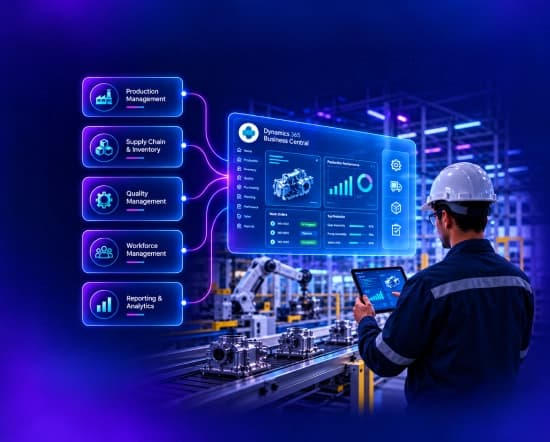
This is where Dynamics 365 Business Central fits. It is a cloud-native, AI-ready ERP platform that unifies production, finance, inventory, and supply chain into one system — built for small and mid-size manufacturers who need enterprise-grade capability without the enterprise-grade complexity or cost.
Not every manufacturer operates the same way. Some build to stock, others build to order, and others design from scratch for each customer. Business Central supports multiple manufacturing modes within a single platform, so you do not need separate systems for different production approaches. Here is how each mode works:
For manufacturers producing distinct, countable items — metal parts, electronics, furniture, industrial components — Business Central provides production orders, multi-level BOMs, routings with work and machine centers, and standard cost variance analysis. Production orders support firm planned, released, and finished stages with full consumption and output tracking.
For simpler operations — kitting, light assembly, bundling — assembly orders are available for combining with production orders in the same environment for mixed-mode operations where some items are assembled from stock while others go through full production.
Business Central supports process-oriented workflows through lot tracking, batch management, configurable quality checks, and FIFO/LIFO inventory valuation. For manufacturers working with recipes, formulas, or batch-based production, Business Central provides the core traceability and compliance framework. Dedicated process manufacturing ISV extensions on AppSource extend this further with formula management, potency tracking, and yield calculations.
For manufacturers designing and building custom products per customer specification, Business Central's project management capabilities combined with production orders, custom BOMs per sales order, and job costing provide the framework to manage unique production runs alongside standard products.
Business Central is a unified manufacturing ERP that connects production, inventory, procurement, and finance in a single platform. When a production order is released, it automatically consumes materials from inventory, triggers purchase requisitions for shortages, posts costs to the general ledger, and updates reporting dashboards — in real time, with no manual re-entry. Here is what each capability area covers:
Route specific production operations to external vendors while maintaining cost and schedule visibility. Dedicated Power BI analytics provide subcontracting cost and performance analysis so you can evaluate vendor efficiency and total landed cost.
Evaluate incoming goods and materials with configurable quality checks, test result tracking, and inventory segregation for non-conforming items. Quality evaluation workflows support inspection at receipt, in-process, and pre-shipment stages.
Define multi-level production BOMs with components, quantities, routing links, and scrap percentages. BOM versioning manages engineering changes without disrupting active production. Routings define operation sequences, assign work and machine centers, and set run times, setup times, and capacity constraints.
Business Central covers the full procurement lifecycle for manufacturers — from purchase quotes and blanket purchase orders to goods receipt and vendor invoice matching. You can manage approved vendor lists, compare vendor pricing, track lead times per supplier, and set up automatic purchase order generation through MRP. Drop shipment and special order workflows let you route materials directly from vendor to customer or to a specific production order without warehousing them first.
Manage the outbound side of manufacturing with sales order processing, pricing and discount rules, shipment tracking, and returns handling. Business Central supports make-to-order workflows where a sales order triggers a linked production order, and make-to-stock workflows with automated replenishment from finished goods inventory. For manufacturers selling direct to consumers, the native Shopify connector syncs products, inventory, and orders between Business Central and your online storefront.
Business Central is a full ERP — not just a manufacturing module bolted onto a separate finance system. It includes general ledger, accounts payable, accounts receivable, bank reconciliation, fixed asset management, budgeting, cash flow forecasting, and multi-entity consolidation. For manufacturers, this means production costs, inventory valuations, and procurement spending all flow into the same financial statements without manual journal entries or reconciliation between systems.
Getting the right materials to the right place at the right time is the core challenge of manufacturing planning. Business Central's MRP engine solves this by continuously evaluating demand signals — sales orders, production schedules, forecasts — against current supply and generating specific actions to close the gaps. Instead of planners manually tracking what is needed and when, MRP does the calculation and presents a prioritized list of decisions. Here is how each component works:
Production planning only works if you can see what is actually happening on the shop floor. Business Central gives manufacturing teams real-time visibility into operations — what is being produced, where it stands, who is working on it, and what it is costing — so problems surface before they become missed deadlines. Here is what that visibility looks like in practice:
Inaccurate inventory is one of the most expensive problems in manufacturing. It causes emergency purchases, production stoppages, excess carrying costs, and missed shipments. Business Central eliminates these issues by providing end-to-end inventory management that connects raw material receipt through production consumption to finished goods shipment — with full traceability at every step. Here is how it works:
For manufacturers, cost visibility determines pricing accuracy, margin protection, and the integrity of financial reporting. Business Central integrates manufacturing costs directly into the general ledger, so every production transaction has an immediate and accurate financial impact. There is no month-end reconciliation between the shop floor and accounting — they run on the same data. Here is how the costing framework works:
Manufacturers operate under layered regulatory requirements that vary by region — from tax filings and financial reporting to product traceability and workplace safety. Business Central's localization framework provides region-specific compliance features out of the box, while its extensible architecture supports industry-specific compliance through certified ISV add-ons. Here is how Business Central handles compliance across key regions:
Business Central's USA localization handles multi-jurisdiction sales tax natively, including use tax on purchases, unrealized sales tax, and sales payment discount tax treatment. Tax groups and tax areas are configurable to match filing requirements across every state where you have nexus.
Built-in 1099 setup covers 1099-NEC, 1099-MISC, and 1099-DIV forms with vendor tracking, electronic filing, and IRS 1096 transmittal form generation. The system tracks reportable amounts throughout the year and generates the required forms at filing time.
Business Central supports SOX requirements through built-in audit trail functionality, role-based access controls, segregation of duties through permission sets, and detailed transaction registers with user, timestamp, and source document references.
Lot and serial number tracking provides chain-of-custody documentation needed for recall readiness, ingredient traceability, and regulatory audits. Quality management features support FDA cGMP documentation requirements for food, beverage, medical device, and pharmaceutical manufacturers.
Alletec has implemented and supported Dynamics 365 Business Central for manufacturers across the United States and globally — from single-site discrete operations to multi-location process manufacturing environments.











Business Central embeds AI directly into manufacturing workflows through two layers. Copilot works alongside your team — surfacing insights, answering questions, and accelerating daily tasks inside the screens they already use. Autonomous agents work independently — processing transactions, matching documents, and executing workflows without manual intervention. Together, they reduce manual effort, speed up decisions, and eliminate the small errors that compound into big problems.
Copilot in Business Central uses your live production, inventory, and financial data to surface insights and accelerate daily tasks across manufacturing workflows.
Copilot generates AI-powered summaries and advanced KPIs for inventory items — giving production planners instant visibility into stock health, demand trends, reorder urgency, and supply risk without building custom reports. For manufacturers managing hundreds or thousands of SKUs, this surfaces the exceptions that need attention rather than forcing manual review.
Ask Copilot questions about your manufacturing data in plain English — 'which production orders are overdue this week,' 'show me items below safety stock at the Dallas warehouse,' or 'what was our material variance on product line X last month' — and get answers instantly without writing reports or navigating multiple pages.
Copilot's cash flow analysis helps manufacturers anticipate the financial impact of production schedules, large material purchases, and seasonal demand shifts — giving CFOs and production managers a shared view of how operational decisions affect liquidity.
Copilot matches bank transactions to ledger entries automatically, reducing the manual effort of monthly bank reconciliation. For manufacturers processing high volumes of vendor payments and customer receipts, this saves hours of matching work every month.
For manufacturers selling finished goods directly, Copilot generates product descriptions, marketing text, and catalog content from item attributes — useful when onboarding new products or managing large catalogs.
Beyond Copilot's assist model, Business Central includes autonomous agents that take action independently — processing transactions, matching documents, and managing workflows with minimal human oversight.
Monitors incoming sales order emails, extracts order details, matches items to your product catalog using intelligent relevance filtering, validates pricing, and creates draft sales orders for review. For manufacturers processing high volumes of repeat orders from distributors or retailers, this agent dramatically reduces manual order entry time and errors.
Reads incoming vendor invoices from email, matches them against open purchase orders, and creates draft purchase invoices for AP review. Manufacturers managing dozens of raw material and component supplier invoices daily can process them with minimal manual intervention while maintaining three-way match accuracy.
Handles employee expense capture, categorization, receipt scanning, and posting through approval workflows. Manufacturing teams managing travel, field service, project site visits, or trade show expenses can process them without paper forms or manual data entry.
Business Central's Model Context Protocol (MCP) server lets you connect external AI tools — from Copilot Studio agents to third-party AI platforms — directly to your manufacturing data. This means you can build custom AI workflows tailored to your specific operations: an agent that monitors production yield and flags anomalies, a quality inspection chatbot that answers shop floor questions from your ERP data, or a supplier performance scorer that evaluates vendors based on delivery and quality history. The MCP server turns Business Central from a closed ERP into an AI-extensible manufacturing platform.
Business Central is not a generic ERP with manufacturing bolted on — its modular architecture and configurable workflows make it adaptable across specialized manufacturing verticals. Whether you produce building materials, packaged foods, or precision-machined components, the platform adjusts to your specific workflows, compliance requirements, and operational complexity. Here is how it applies across key verticals:

Producers managing recipes, batch tracking, shelf life, and regulatory traceability rely on Business Central's lot tracking, FIFO-based inventory valuation, and quality management to maintain compliance and minimize waste. Expiration date tracking and recall-ready traceability documentation are built into the standard inventory workflow. Demand forecasting and automated replenishment help manage seasonal fluctuations and high-turnover SKUs.

Manufacturers of prefabricated components, concrete products, lumber, steel structures, and building supplies use Business Central for multi-level BOM management, production order tracking, and standard cost variance analysis. Inventory management handles raw materials and finished goods across multiple warehouses, while automated replenishment ensures production lines are not waiting on stock. Job costing and project-based accounting are available for manufacturers that also manage installation or site delivery.
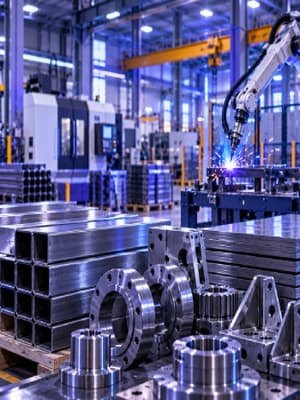
Job shops and metal fabricators producing custom or semi-custom parts use Business Central's make-to-order production orders, routing-based scheduling, and standard cost variance tracking. Serial and lot tracking supports full traceability for certified materials and customer-specific quality documentation. Capacity planning across work centers helps manage machine utilization in high-mix environments.

High-volume consumer goods manufacturers use Business Central for demand forecasting, automated replenishment, multi-warehouse distribution, and direct-to-consumer sales through the native Shopify e-commerce integration. Fast inventory turns and tight margin management require the real-time cost visibility Business Central provides. Assembly orders handle kitting and bundling workflows for promotional packs and variety sets.
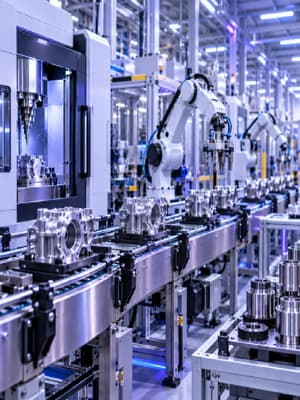
Make-to-order and engineer-to-order manufacturers building complex, low-volume equipment use Business Central's production orders with custom BOMs per sales order, serial number tracking, project-based costing, and the service management module for after-sales maintenance and field service scheduling. Long lead times are managed through capacity planning and MRP with configurable planning parameters.

Tier 2 and tier 3 automotive suppliers use Business Central for high-mix production scheduling, supplier quality management, lot traceability for regulatory compliance, and EDI integration with OEM customers. Capacity planning and variance analysis help manage the tight cost controls automotive supply chains demand. Standard costing with real-time variance reporting supports continuous improvement initiatives.

Chemical manufacturers managing batch production, potency tracking, hazardous material compliance, and formula-based recipes use Business Central's core batch and lot tracking alongside certified ISV extensions from AppSource for formula management, yield calculations, and regulatory reporting. Quality management features support incoming inspection and certificate of analysis generation.

Manufacturers subject to FDA or ISO 13485 compliance requirements use Business Central's serial and lot traceability, quality management, and document control capabilities to maintain audit-ready production records. Validation-ready ISV extensions on AppSource provide additional compliance workflows. Full production history supports regulatory submissions and audit responses.
Business Central is sold in two main user license tiers — Essentials and Premium — plus a low-cost Team Members tier for light users. Manufacturing capabilities require specific attention when choosing your tier, because production orders and service management are Premium-only features.
| Capability | Essentials $80/user/month | Premium $110/user/month |
|---|---|---|
| Financial Management | ✓ | ✓ |
| Sales & Purchasing | ✓ | ✓ |
| Inventory & Warehouse | ✓ | ✓ |
| Assembly Orders | ✓ | ✓ |
| Production Orders (BOMs, Routings, MRP) | ✗ | ✓ |
| Work/Machine Centers & Capacity | ✗ | ✓ |
| Service Management | ✗ | ✓ |
| Copilot & AI Features | ✓ | ✓ |
| Power BI Integration | ✓ | ✓ |
For light users who only need read access and limited data entry — time sheets, expenses, approvals — a Team Members license is available at $8/user/month and can be mixed with either tier. Full users are a different matter: you cannot mix Essentials and Premium on the same tenant, every full user must be on the same tier, and if any user needs production orders or service management, the entire tenant must be on Premium. For current per-user pricing, check the Microsoft Dynamics 365 pricing page (microsoft.com) as rates vary by region and agreement type.
Licensing is only one part of the total investment. manufacturers should budget for these additional cost layers:
Implementation covers the full scope of getting Business Central configured and running for your manufacturing operation — including requirements scoping, system configuration, data migration from your existing ERP, custom workflow development, and third-party integrations. The cost varies significantly based on complexity — a single-site discrete manufacturer is a fundamentally different project than a multi-location process manufacturer with complex BOMs and global supply chain integrations.
Even the best-configured ERP fails if your team does not adopt it. Training covers user enablement programs for shop floor staff, planners, finance teams, and system administrators. Alletec includes structured change management in every engagement because adoption determines ROI — a rushed rollout with untrained users creates more problems than the legacy system it replaced.
After go-live, your Business Central environment needs ongoing care — performance monitoring, periodic health checks, troubleshooting, and release wave updates. Microsoft updates Business Central twice a year with new features and improvements, and your implementation partner should help you evaluate and adopt the ones relevant to your manufacturing workflows.
Many manufacturers need functionality beyond the standard platform — third-party apps from Microsoft AppSource, custom extensions for industry-specific workflows, barcode scanning solutions for warehouse operations, advanced planning tools, or EDI connectors for trading partners. These are separate costs that should be scoped during the implementation planning phase.
One of Business Central's strongest advantages over competing manufacturing ERPs is its native integration with the Microsoft ecosystem. For manufacturers already using Microsoft 365, Teams, or Power BI, Business Central slots in without requiring middleware, custom APIs, or third-party connectors.

Create and send quotes, invoices, and purchase orders directly from Outlook. View customer or vendor records without leaving your inbox. The 2026 Release Wave 1 updated the Outlook integration with a centralized task pane for agent-generated actions.

Share Business Central pages, records, and reports directly in Teams channels and chats. Production managers can share a live production order status in a Teams channel without exporting to a spreadsheet.

Built-in Power BI dashboards for manufacturing analytics — track production KPIs, inventory turnover, capacity utilization, and cost variances. The 2026 release added an enhanced Manufacturing Power BI app with subcontracting analytics.

Automate repetitive workflows — trigger approval flows when a production order exceeds cost threshold, send alerts when inventory drops below safety stock, or auto-generate purchase orders when MRP runs.

Build custom mobile apps for shop floor data capture, quality inspections, or warehouse scanning using Power Apps. Use Copilot Studio to create custom AI agents connected to Business Central data via the MCP server.

Connect to Azure IoT for machine data, Azure AI Services for predictive maintenance or demand forecasting, and Azure Data Lake for large-scale manufacturing analytics. Business Central's cloud architecture is built on Azure.

For manufacturers selling direct, the native Shopify connector syncs products, inventory, and orders between Business Central and Shopify storefronts. The 2026 release expanded B2B company sync and product variant support.
The real value of a manufacturing ERP shows up in the numbers that matter to your business — faster close cycles, fewer stockouts, lower production costs, and better margins. Business Central delivers these results because it eliminates the disconnects between production, inventory, and finance that cause most operational waste. Here is where manufacturers see the most measurable impact:
When production costs post to the general ledger in real time, month-end reconciliation goes from a multi-day exercise to a review process. Finance teams spend less time chasing numbers and more time analyzing them.
Standard costing with real-time variance analysis means you always know your actual production costs — not an estimate that gets trued up after the fact. This directly improves pricing accuracy and protects margins on every product line.
Consolidating production, inventory, finance, and reporting into one platform eliminates the licensing, integration, and maintenance costs of running multiple disconnected systems.
Automated MRP replaces manual spreadsheet planning. Instead of planners spending hours calculating material needs and cross-referencing purchase orders, the planning worksheet generates a prioritized action list in minutes.
Real-time inventory with automated replenishment keeps materials available when production needs them without overstocking. Manufacturers typically see significant reductions in both emergency purchases and carrying costs.
Autonomous agents handle sales order processing, invoice matching, and expense management. Flushing methods automate shop floor material consumption posting. Every automated transaction is a manual task removed from someone's day.
Business Central's embedded Copilot and agent framework means manufacturers are not just buying an ERP — they are building a platform that gets smarter over time. Predictive insights, natural language queries, and custom AI agents are available now, not on a future roadmap.
Business Central grows with your operation. Add users, locations, production lines, or expand into new markets without migrating to a different ERP. The same platform that runs a 20-person shop can run a 500-person multi-site operation.
Native integration with the Microsoft ecosystem — Teams, Power BI, Power Automate, Azure — means your ERP is not a standalone silo. It feeds real-time data into the tools your team already uses for collaboration, reporting, and automation.
As a cloud-native platform, Business Central updates automatically twice a year, runs on Microsoft Azure's enterprise-grade infrastructure, and eliminates the risks of managing on-premises servers, backups, and disaster recovery.
Lot traceability, serial number tracking, quality management, and role-based access controls give manufacturers the documentation trail regulators and auditors require — without building it manually.
Microsoft FastTrack methodology, combined with Alletec's 25+ years of manufacturing-specific experience and reusable industry templates, reduces the uncertainty that makes ERP implementations fail.
Choosing the right implementation partner determines whether your Business Central investment delivers results or becomes another stalled project. Alletec is an AI-first, full-stack Microsoft partner with deep manufacturing domain expertise and a proven track record of successful
Business Central implementations for global manufacturers.
Alletec has earned Microsoft Solution Partner Designation in all 6 solution areas validating full stack expertise across Business Applications, Data & AI, Azure Infrastructure, Digital & App Innovation, Modern Work, and Security.
Alletec is in the top 1% of Microsoft partners globally, with direct access to Microsoft engineering teams, early product roadmap visibility, and priority support escalation.
Structured deployment methodology that accelerates go-live, reduces risk, and ensures solutions are built on proven architectural patterns rather than ad-hoc customization.
Deep experience across discrete and process manufacturing — from shop floor operations to financial close. Alletec's consultants understand manufacturing workflows, not just software configuration.
Pre-built manufacturing configurations, BOM structures, costing setups, and reporting templates refined through hundreds of implementations. You are not starting from a blank system.
Every engagement includes AI readiness assessment, Copilot configuration, and data architecture for AI workloads. Your Business Central goes live with AI active — not promised for a future phase.
Whether you are running a legacy ERP that has outgrown your operation, stitching together disconnected systems that slow your team down, or exploring your first cloud ERP — this is where your ERP modernization journey begins. Dynamics 365 Business Central gives manufacturers the production control, financial visibility, and AI-powered automation to compete at the pace the market demands. Alletec brings 25+ years of manufacturing domain expertise, all six Microsoft Solution Partner designations, and an AI-first implementation approach to make sure it actually works for your business.
Book a free consultation with Alletec's manufacturing and Business Central experts. We will assess your current environment, walk you through Business Central with your specific workflows, and give you a clear picture of what the move looks like for your operation.